All-in-one platform vs separate tools: which costs less for a small online business?
Disclosure: some links are affiliate links. We may earn a commission at no extra cost to you; it doesn't change what we recommend. How we make money.
On this page
Most small online businesses start with whatever is free or cheapest for each job: a newsletter tool, a page builder, a checkout or store, maybe a course host. A year later there are five subscriptions, three logins, a connector tool holding it all together, and a nagging question: would one all-in-one platform be cheaper and simpler?
Sometimes, yes. Sometimes it’s a lot of rebuilding to save a few dollars. This guide walks through the honest version of the comparison for someone running a business on a few hours a week: what each approach costs, the costs people forget, and the situations where separate tools are still the better choice.
How this was put together: the all-in-one example uses Systeme.io’s published plans, re-checked on systeme.io/pricing on 29 October 2026. Card processing rates are Stripe’s published standard rates, checked the same day. We don’t quote “typical” prices for other tool categories, because they vary too much to be honest; instead the guide shows how to add up your own.
What “all-in-one” covers, and what it doesn’t
An all-in-one platform bundles the jobs most small online businesses need into one account. Here’s how Systeme.io’s plans cover the usual categories:
| Category | Covered by the all-in-one? | Notes |
|---|---|---|
| Email marketing / newsletter | Yes | Broadcasts and automated sequences; unlimited sends on every plan |
| Landing pages / funnel builder | Yes | Funnels count toward the plan limit (3 on Free, 10 on Startup) |
| Checkout / digital product store | Yes | 0% platform fee; card processing still applies |
| Course or membership hosting | Yes | 1 course on Free, 5 on Startup |
| Booking / calendar scheduling | Yes | Booking calendar included |
| Community area | Yes | Included |
| Affiliate program for your own products | Yes | 1 affiliate program on Free |
| Website or blog | Partly | A blog and a simple website are included; a design-heavy site may still need its own builder |
| Webinars | Partly | Automated (evergreen) webinars only, on Webinar and above; live webinars still need separate software |
| Automation with outside apps | Partly | Built-in automations cover steps inside the platform; outside apps may still need a connector tool |
| Social media scheduling | No | Keep your scheduler |
| Design tools | No | Keep them |
| AI writing tools | No | Keep them |
Systeme.io’s coverage from its pricing page and help centre, re-checked 29 October 2026.
So an all-in-one replaces the “selling” stack (email, pages, checkout, courses) but not the “making” stack (design, writing, social). Any comparison should only count the tools it would actually replace.
The three costs to compare
1. Subscriptions
This is the obvious one. Add up what you pay each month for every tool in the “Yes” rows above. If you pay yearly, divide by 12. Then compare it with the cheapest all-in-one plan whose limits fit you.
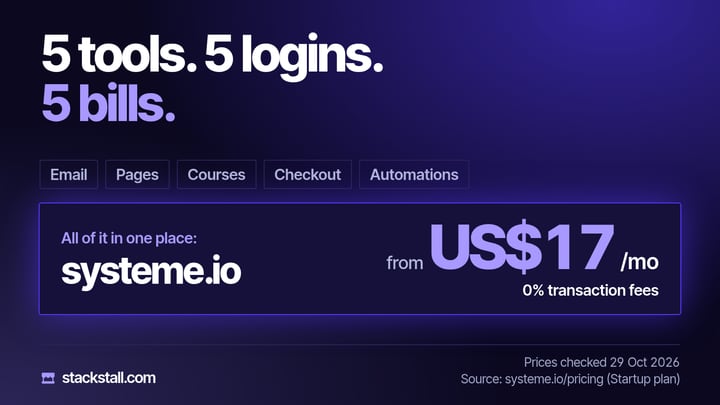
For Systeme.io that’s usually Free (US$0) if you have one offer and fewer than 2,000 contacts, or Startup (US$17 a month, or US$170 a year) once you pass Free’s limits. Webinar (US$47) is only needed for automated webinars or more than 5,000 contacts.
2. Per-sale fees
This is the one people forget. Many stores and course hosts take a percentage of every sale on top of the card fee, sometimes with a fixed amount per sale too. On a small monthly subscription, a 5% or 10% fee can cost more than the subscription itself once you’re selling.
A quick way to see it: on US$1,000 a month in sales, a 5% platform fee is US$50 a month, three times Startup’s price. A pay-per-sale store charging 10% + US$0.50 on a US$20 product takes US$2.50 a sale before card processing. Systeme.io charges 0% on every plan, so only your payment processor’s fee applies (for example, Stripe’s standard US rate is 2.9% + 30¢ per domestic card payment; in Australia it’s 1.65% + A$0.30).
Card processing is charged on every platform, so it shouldn’t count for or against either side. Our fee calculator shows what you keep per sale and per month on different types of platform.
3. Time
Separate tools need connecting: a purchase in the store has to tag the buyer in the email tool, enrol them in the course host, and maybe add them to a community. Each connection is something to set up, pay for (if you use a connector tool) and fix when it breaks. On one platform, those steps are a single automation rule.
Time is also the main cost of switching. Contacts export easily, but pages, email sequences and course content usually have to be rebuilt. If the monthly saving is small, the hours may be worth more than the money.
When separate tools are the better choice
Be honest with yourself here; an all-in-one isn’t automatically better.
- You only need one or two jobs done. A newsletter on its own, or a single checkout link, is often free or cheap with a specialist tool. Paying for a bundle you don’t use isn’t a saving.
- One job needs a specialist. If your business is a large, design-led website, live webinars, or a big newsletter with advanced segmentation and paid subscriptions, the dedicated tool for that job may simply do it better.
- Your current setup works and is cheap. If everything is on free plans and nothing breaks, there’s nothing to fix.
- You’d lose something you rely on. Check specifics before switching: integrations you depend on, the tax handling your store does for you, reporting you use every week.
When an all-in-one is the better choice
- You need four or more of the “Yes” categories. That’s where the subscriptions start to stack up.
- You’re paying per-sale platform fees and selling regularly.
- You’re spending time fixing the connections between tools, or paying for a connector tool to hold them together.
- You’re starting from scratch. With nothing to migrate, setting up one platform is simply less work than setting up four.
A worked example (with your own numbers)
Rather than invent “typical” prices, here’s the sum to do. Fill in your own figures:
| You pay now (per month) | |
|---|---|
| Email tool | $ ___ |
| Page or funnel builder | $ ___ |
| Store or checkout subscription | $ ___ |
| Store per-sale fee (your monthly sales × the % fee, plus any fixed fee × number of sales) | $ ___ |
| Course host | $ ___ |
| Connector tool, if you only use it to link these | $ ___ |
| Total that an all-in-one would replace | $ ___ |
Then compare that total with the cheapest all-in-one plan that fits your limits: US$0 on Systeme.io Free if you’re within its limits (including the US$10,000 lifetime sales cap), or US$17 on Startup. If the difference is a few dollars a month, it probably isn’t worth moving. If it’s tens of dollars a month and you’re also fighting the connections, it probably is.
The software cost calculator does this sum for you, picks the cheapest plan that fits the limits you enter, and tells you plainly when keeping what you have is the better deal.
The 5-hours-a-week verdict
If you’re starting out, start on one platform: it’s less setup, one bill, and a free plan to test on. If you already have a setup that works, add up the real cost (subscriptions plus per-sale fees) before you move anything, and only switch if the saving is clear or the connections are costing you time every week.
Quick answers
Is an all-in-one platform cheaper than separate tools? Only when it replaces several paid tools or per-sale fees. If you need just one or two jobs done, separate free or cheap tools often cost less. Add up what you pay now before deciding.
What does an all-in-one platform not replace? Usually design tools, AI writing tools and social media scheduling. Live webinars and a design-heavy website may also still need their own software.
Do all-in-one platforms charge transaction fees? Some do. Systeme.io charges a 0% transaction fee on every plan, including Free; your payment processor’s fee still applies.
Is it worth switching if I already have separate tools? Only if the monthly saving is clear or the connections between tools are costing you time. Contacts move easily, but pages, sequences and course content usually need rebuilding.
Before you switch: plans and fees change often. Everything here was checked on 29 October 2026. Confirm prices on each vendor’s own pricing page before you move.
Sources (checked 29 October 2026): systeme.io pricing, Stripe US pricing, Stripe Australia pricing. The pay-per-sale store rate (10% + US$0.50 per direct sale) is one well-known creator store’s published fee.